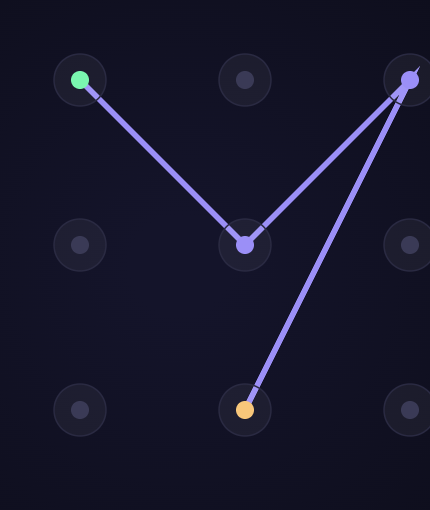
What is a pattern lock simulator?
PatternGuard is a free online tool that lets you draw and analyze unlock patterns for Android phones. No download needed — test different combinations and see in real time how secure each design is before using it on your device.
The analyzer evaluates entropy, length, direction changes, crossings, and compares against the most common patterns to give you a score from 0 to 100.
What makes a pattern secure?
- Use 6 or more points — short patterns have very few possible combinations
- Don't start in a corner — corners are the most predictable starting points
- Include crossings and direction changes — they increase pattern entropy
- Avoid simple shapes like L, Z, N or straight lines — these are the most common
- Use larger grids (4×4 or 5×5) — they multiply combinations exponentially
History of the pattern lock
The pattern lock was introduced by Google with Android 1.0 in 2008. The concept emerged as a visual alternative to the numeric PIN: instead of memorizing a sequence of digits, users trace a shape across a grid of dots, leveraging the brain's visuomotor memory.
Over time, pattern locks spread beyond phones: they now appear on Samsung and LG Smart TVs, Wear OS smartwatches, Android tablets, and some banking apps that offer a second level of in-app security.
A widely cited 2013 study by Uellenbeck, Dürmuth, Wolf and Holz — "Quantifying the Security of Graphical Passwords: The Case of Android Unlock Patterns" — analyzed real-world pattern choices and found that users pick patterns non-uniformly: most start from a top-left or center point and cluster heavily around a small set of common shapes. The researchers estimated the effective entropy of typical user-chosen patterns at well under the theoretical maximum, meaning most real patterns are far easier to guess than the raw combination count suggests.
Pattern vs PIN: pros and cons
- A 4-digit PIN has 10,000 combinations; a 3×3 grid supports up to 389,112 valid patterns
- Patterns are faster to enter: one continuous gesture instead of individual key taps
- Muscle memory lets your finger "remember" the path without conscious thought
- Downside: grease marks on the screen can reveal which points were used
- Downside: more visible to bystanders than a PIN (shoulder surfing)
Compared to an alphanumeric password, a pattern loses on raw combination space: an 8-character password mixing upper case, lower case and digits exceeds a trillion possible combinations, far more than the 389,112 available on a 3×3 grid. In everyday use, though, that theoretical edge matters less than resistance to shoulder surfing: a pattern is traced as one visible gesture, while an attacker has to catch every individual keystroke to memorize an alphanumeric password — which in practice makes it much harder to copy with a single glance.
Forgot your Android pattern lock? How to unlock it
If you're locked out right now, don't panic — what happens next depends on what was set up on the device before you got locked out, not on anything you can fix in the moment. The three paths below cover the situations people run into most.
How to unlock your phone without a factory reset
On many Android versions, after five failed pattern attempts a "Forgot pattern?" link appears, letting you sign in with the Google account linked to the device to unlock it — this needs the phone to have working internet access. Samsung devices linked to a Samsung account can instead be unlocked remotely through Find My Mobile, and any device with Find My Device enabled can be locked or erased remotely from google.com/android/find. None of these are guaranteed: some manufacturers and newer Android versions restrict or remove the account-based bypass for security reasons, so results vary by device and Android version.
If nothing else works: factory reset
When no bypass is available, a factory reset (usually done from the hardware recovery menu — power + volume buttons — if you can't get past the lock screen) is the last option. It erases the phone completely and only restores from whatever cloud backup existed before the lock; see the backup warning below before you rely on this.
How to remove or turn off pattern lock entirely
If you can still unlock the phone and just want to stop using a pattern, go to Settings → Security (or Lock screen, depending on the manufacturer) → Screen lock, enter your current pattern to confirm, then choose "None," "Swipe," or another method like PIN or password.
Warning: forgetting your pattern can lock you out of your phone backup
Android uses the unlock pattern as part of the encryption for your phone's backup. This has an important consequence many users are unaware of: if you forget your pattern, Google cannot help you recover your encrypted backup.
Unlike your Google account password — which you can reset by email — the pattern is a local key stored on the device. Google holds the encrypted backup on its servers but does not have the key to decrypt it. If you lose the pattern, that backup is gone forever.
Recommendations: store your pattern in a password manager, enable a backup PIN in your device's security settings, or consider using a password instead of a pattern if you rely on encrypted backups.
If you've already forgotten your pattern and are locked out, your options depend on what was set up beforehand. If a Google account is linked, some Android versions offer a "Forgot pattern?" option that lets you unlock using that account's credentials after several failed attempts — but this doesn't work on every device or Android version, and some manufacturers disable it. If that option doesn't appear, a factory reset is usually the only way back in, which wipes the phone's contents.
It's worth distinguishing the local backup (a copy that lives only on the device's storage, encrypted with the pattern) from Google's cloud backup (which syncs contacts, apps and settings, but not all encrypted content). Losing the pattern mainly affects the local encrypted backup and any data tied to that key — not necessarily everything you'd already uploaded to the cloud before losing access.
Frequently asked questions
How many unlock patterns are possible on a 3×3 grid?
On a 3×3 grid there are 389,112 valid patterns considering the intermediate point rule (if a line passes through an unselected point, that point is automatically added to the sequence). Without that restriction, the number exceeds 985,000 combinations. The most secure patterns use at least 6 of the 9 points.
Is it safe to use a pattern lock on Android?
It depends on the pattern. Studies show that 44% of users use one of the 20 most common patterns, making them very vulnerable. A long pattern with crossings that doesn't start at a corner can offer security comparable to a 6-digit PIN. PatternGuard helps you measure exactly that.
What is the difference between a 3×3, 4×4 and 5×5 grid?
Grid size dramatically changes the space of possible combinations. A 3×3 grid has 9 points, a 4×4 has 16, and a 5×5 has 25. More points means more combinations, more entropy, and a pattern significantly harder to guess or brute-force attack.
What is pattern entropy?
Entropy measures the amount of information (unpredictability) of a pattern in bits. A high-entropy pattern is unpredictable: there are many equally probable combinations. PatternGuard calculates approximate entropy in bits so you can objectively compare different patterns.
What happens if I forget my unlock pattern?
It depends on the device's setup. If a Google account is linked, some Android versions offer the option to unlock using those credentials after several failed attempts. If that's not available, a factory reset is usually the only way out, which wipes the phone and can only be recovered from a previous cloud backup.
Is a pattern, PIN, or alphanumeric password better?
In terms of possible combinations, a long alphanumeric password is the most secure, followed by a PIN and then a pattern. In everyday use, though, the real difference comes down to how each one is chosen: a long pattern with well-placed crossings can be more secure than a short, predictable PIN like "1234" or "0000". What matters isn't the method itself but avoiding the most common designs within each category.